Want to change the type of SIM you use with kini or transfer an eSIM between devices? Contact customer support to arrange the switch for your existing line.
Before you begin
Keep your current SIM or eSIM available until the switch is complete. Customer support will need to verify your SIM ownership before making changes.
Switch to eSIM
You can
- Switch from a physical SIM to eSIM
- Transfer eSIM to other devices
- Replace an eSIM (for lost or broken devices)
You’ll need:
- A Wi-Fi connection
- Access to the email address where you’ll receive your eSIM instructions
- An eSIM-compatible phone
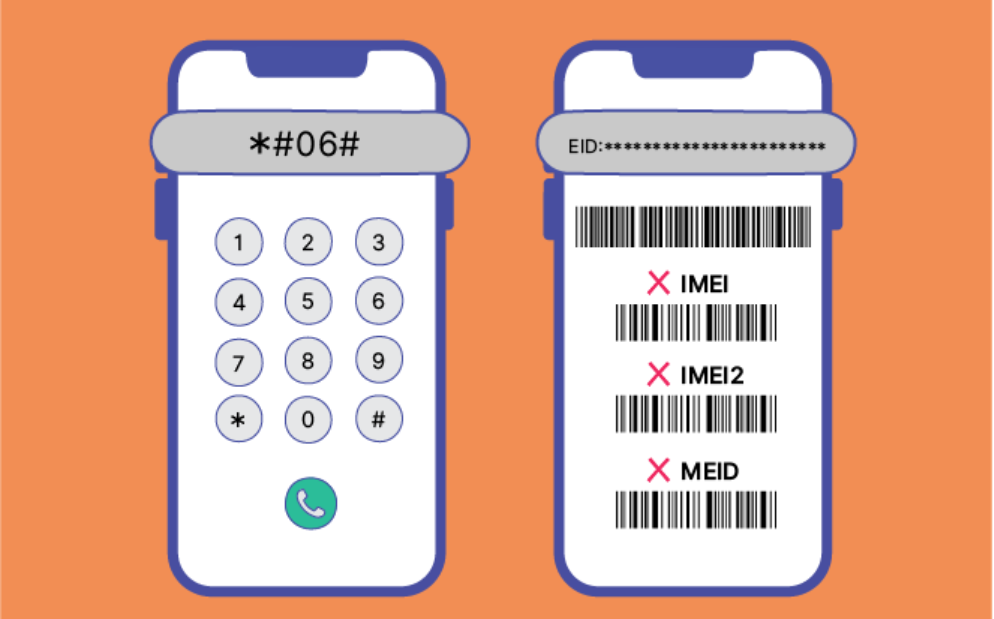
Check whether your phone supports eSIM. Open the dialer and enter *#06#. If an EID number appears, your phone supports eSIM.
- Call 1888 from your active kini line to request the switch.
- Complete the ownership verification and follow the support team’s instructions.
- When you receive your eSIM activation email, connect to Wi-Fi and follow the instructions to install it.
- Once the switch is complete, test your calls, texts, and mobile data.
Each eSIM QR code can be installed only once. If you delete the eSIM, you cannot reinstall it using the same code.
Switch from eSIM to a physical SIM
Contact customer support to check the available options and arrange a physical SIM for your existing line.
Do not delete your current eSIM before support confirms that the switch is complete. Once instructed, insert the physical SIM and test your calls, texts, and mobile data.
Moving your eSIM to another phone?
Your existing QR code cannot be reused on a different phone.
Contact customer support to arrange an eSIM transfer, and keep the eSIM on your old phone until instructed.
If your new SIM doesn’t connect
- Restart your phone.
- Check that the kini line is enabled.
- If you are using a dual SIM device, select kini for calls and mobile data.
- Confirm with support that the switch has been completed.
Need help?
Contact customer support by calling 1888 from a kini line or +1 (877) 822-1888 from another phone, or email support@kinimobile.com.