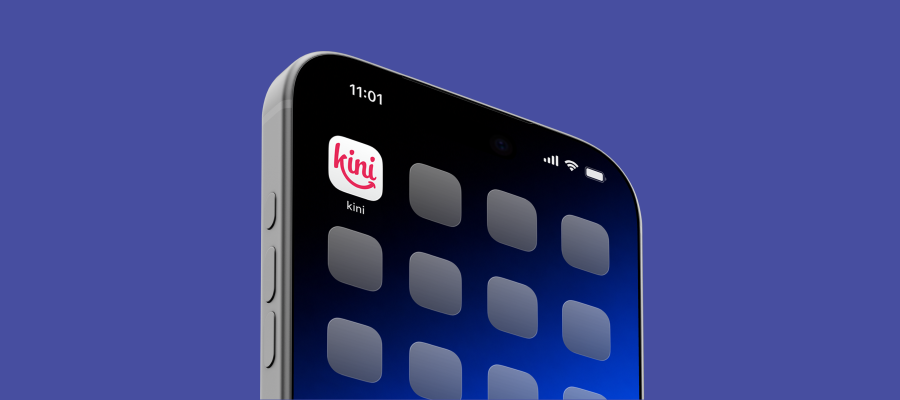
Add My kini to your home screen to check your balance and usage, top up, view statement and manage Auto-pay. You can set it up directly from your phone’s browser:
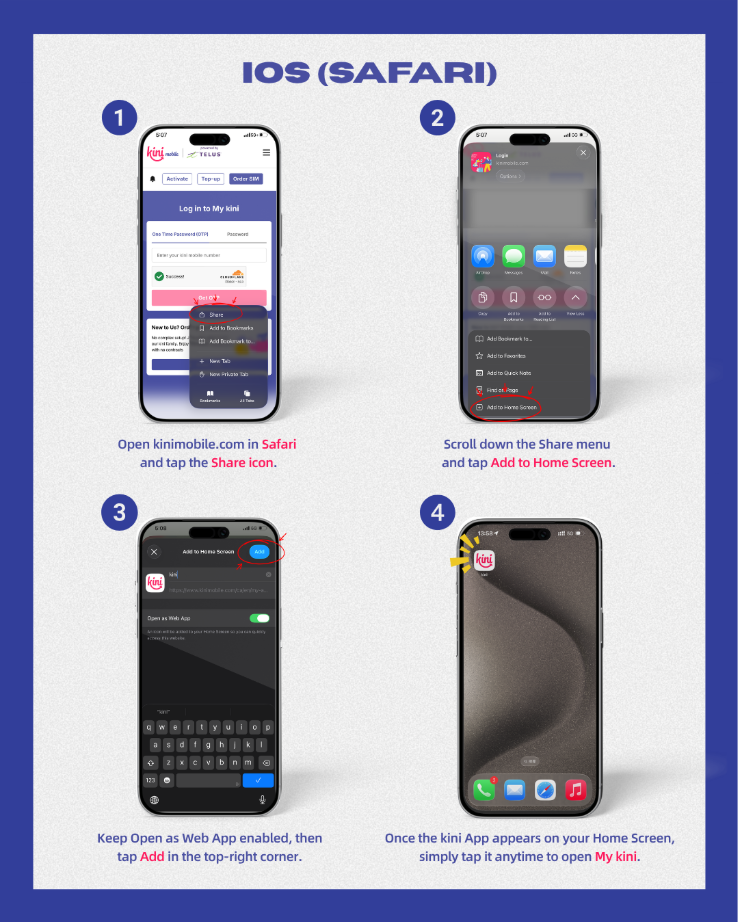
On iPhone
- Open Safari and visit My kini.
- Tap the Share button. Depending on your Safari layout, you may need to open the page menu first and select Share.
- Scroll down and select Add to Home Screen.
- Turn on Open as Web App if the option appears.
- Name it My kini, then tap Add.
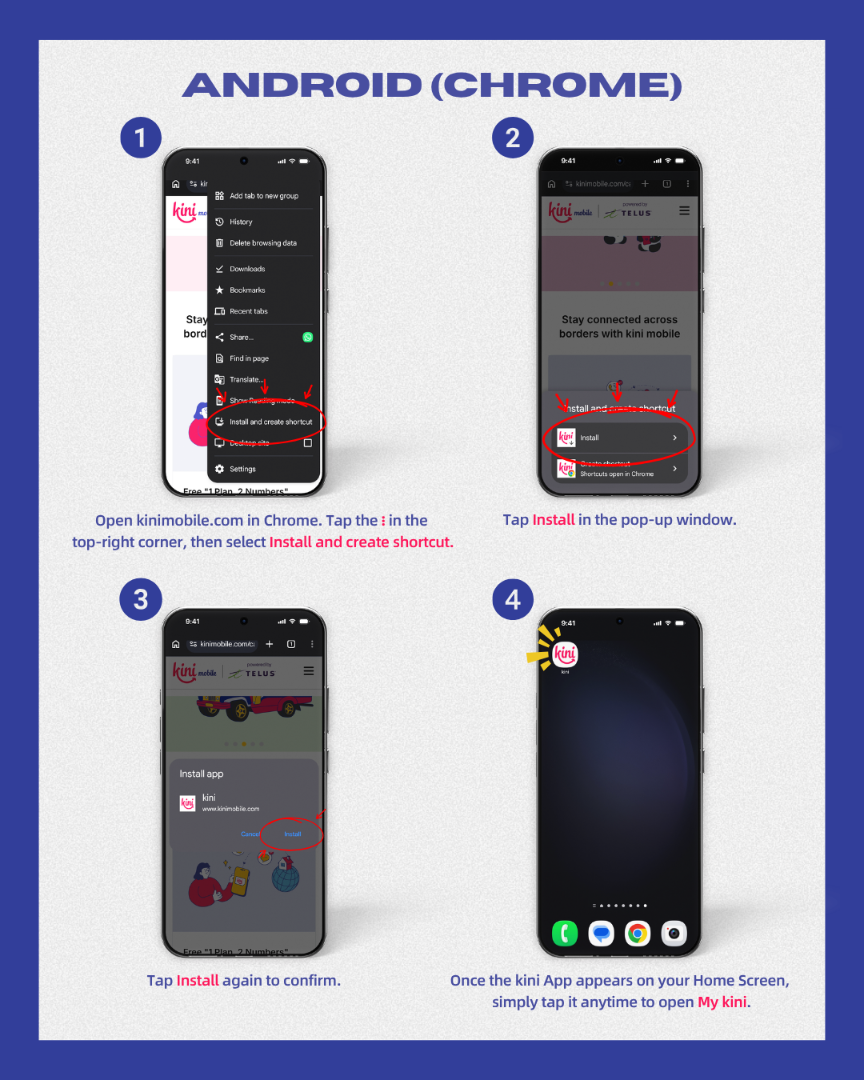
On Android
- Open Chrome and visit My kini.
- Tap the three-dot menu beside the address bar.
- Select Install app, Add to Home screen, or Install and create shortcut, depending on your browser version.
- Follow the instructions to install the web app or create a shortcut. Name it My kini if prompted.
The My kini icon will appear on your home screen. Tap it to open your account and sign in. You’ll need an internet connection to manage your account.
Need help?
Contact customer support by calling 1888 from a kini line or +1 (877) 822-1888 from another phone, or email support@kinimobile.com.
Blog Topic
Article slug
add-kini-web-app