Auto-pay helps keep your monthly plan active without having to top up manually. On your renewal date, your plan fee is deducted from your account balance first, and any remaining amount is charged to your credit or debit card.
Set up Auto-pay
- Sign in to My kini
- Go to My Settings → Auto-pay → Setup
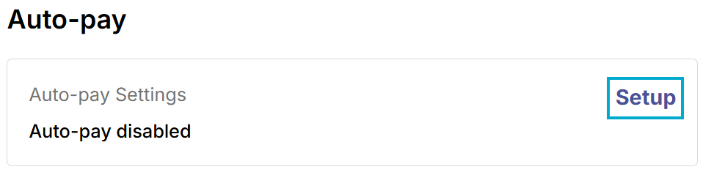
- Enter your credit or debit card details.
- Complete any verification requested by your bank. A CA$1 verification charge will be refunded.
- Look for a confirmation SMS to confirm that Auto-pay is set up.
⚠️ If your plan has already expired, top up manually to resume your service before setting up Auto-pay.
Change your payment card
To update your card details, cancel your existing Auto-pay setup and enroll again:
- Sign in to My kini → My Settings → Auto-pay
- Disable your current Auto-pay setup
- Select Setup and enter your new card details
- Complete the card verification and look for a confirmation SMS
ℹ Make sure your new setup is complete before your next renewal date. If renewal is due before then, top up manually so your balance covers the plan fee.
Turn off Auto-pay
Sign in to My kini → My Settings → Auto-pay → Disable your Auto-pay setup.
You’ll need to top up manually before your next renewal if your account balance doesn’t cover the monthly fee. Turning off Auto-pay does not cancel your current plan.
What does Auto-pay cover?
Auto-pay covers your monthly plan fee and recurring call forwarding fees. One-time add-ons require a separate purchase which do not renew automatically and will not be deducted from your linked payment card.
Need help?
Contact customer support by calling 1888 from a kini line or +1 (877) 822-1888 from another phone, or email support@kinimobile.com .