
This guide is for transferring a Canadian number through My kini.
After activating your kini SIM, you can port-in your existing Canadian phone number to kini.
Before you request a port-in
- Don't delete any eSIM or cancel the account with the original operator until the transfer is complete.
- Ensure your phone number is active and you can still receive texts on your current SIM or eSIM before porting it in.
- (If applicable) Keep in mind when switching to kini: You may need to forfeit the remaining balance or pay early cancellation fees with your current provider.
Port-in your number to kini
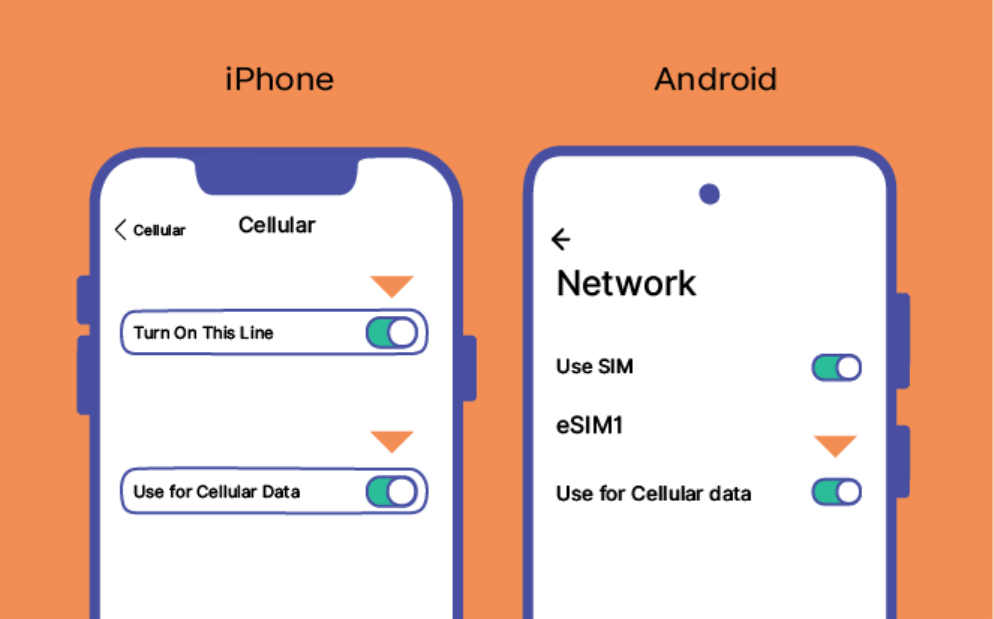
- Insert your kini physical SIM, or turn kini eSIM ON as the current line.
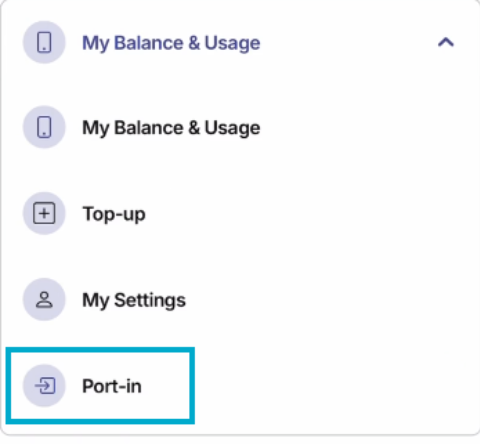
- Sign in to My kini by receiving an OTP with your new kini SIM.
- Select Port-in and follow the instructions to submit your Canadian number and the requested account information.
- Select Port-in Number Type:
- Mobile number (Typical port-in processing time: 15 – 60 mins)
- Enter your mobile number to check its eligibility for porting in
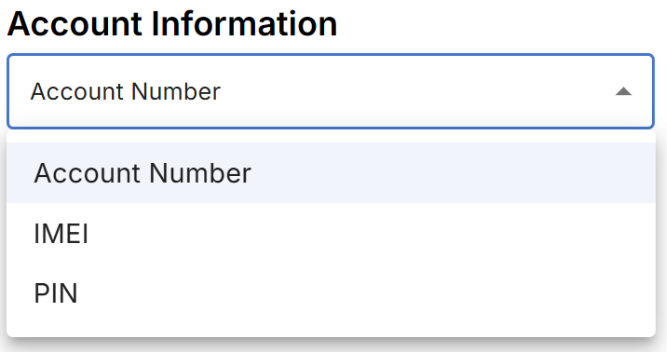
- Select and enter ONE of the followings:
- Account number with your current service provider (From existing online account or service agreement)
- PIN of current service provider (May request from current operator)
- IMEI (Call *#06# on your phone)
Wireline number (Typical port-in processing time: 3 - 5 business days
Enter all required information, such as your first and last name and address, exactly as provided by your current service provider.
- Mobile number (Typical port-in processing time: 15 – 60 mins)
- Keep your current service provider’s SIM or eSIM available to receive a text asking you to authorize the port-in to kini (If applicable).
- If you receive that authorization text, reply YES as instructed by your provider within 90 minutes.
- If you don’t respond within the specified timeframe, your request will be cancelled. Please try again to submit a port-in request or contact kini Customer Support to restart the process.
- Switch to kini’s SIM and wait for the confirmation text. Once the port-in is completed, test a call and a text message using your transferred number.
Click here to watch port-in demo video
If the transfer hasn’t completed
- Check whether you received an authorization text and responded to it within 90 minutes.
- Check that the details entered in My kini match your former provider’s records. Incorrect or invalid info can delay your transfer. Don't worry—we’ll text you if you need to update your details.
- Do not submit repeated requests unless the support team asks you to.
Need help? Contact customer support at +1 (877) 822-1888 or support@kinimobile.com and have your SIM and order details ready.
What’s next?
Once your number works on kini, check your plan and renewal date in My kini. You can then set up Auto-pay and voicemail.
Blog Topic
Article slug
port-in-number-to-kini
Featured Type